



Please read our Advertising Terms and Conditions here.
Trustnet Advertising Specifications
February 2023
This document covers the range of advertising, sponsorship and content distribution opportunities provided by Trustnet.
With improvements in technology and changes to our own content these guidelines will change over time. We are open to suggestions that may lead us to revise these guidelines, including trialing new creative formats.
For any questions, please get in touch with your account manager or with operations@fefundinfo.com
Index
This document outlines specifications for advertisements hosted on FE fundinfo websites.
- We no longer support Flash.
- All creatives must be able to run on an HTTPS website.
- A signed IO must be sent to us prior to the start of a new campaign.
- HTML5 creatives can be supplied via DCS, as self-contained HTML5 file(s) or as 3rd party tags.
Our test page is https://www2.trustnet.com/General/Adtest.aspx
|
Name |
Description |
Size |
File size |
Res |
Colour Format |
File Format |
Notes |
|
Landscape, large format |
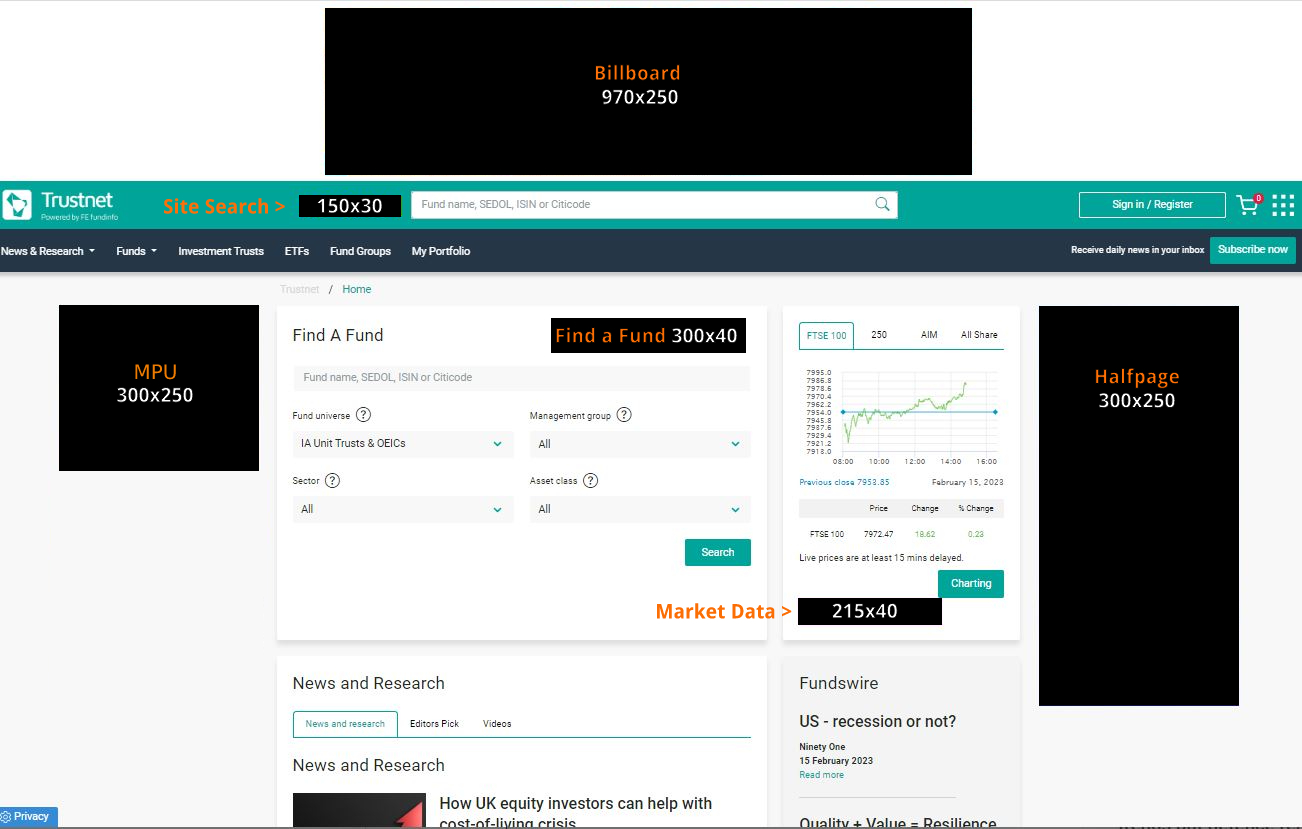
970x250px |
Up to 1mb, rich media aim for an initial download size of up to 200kb. For improved load times, minimise file size where possible |
72dpi |
RGB |
gif, jpg, png, 3rd party tags, HTML5 |
Standard: Can loop 1 time as long as the total animation length does not exceed 30 sec. Rich media: animation length max 15 sec |
|
|
Portrait, large format |
300x600px |
||||||
|
Rectangle |
300x250px |
||||||
|
Portrait |
Portrait, large format |
300x1050px |
|||||
|
Leaderboard |
Landscape banner |
728x90px |
|||||
|
Custom |
Custom size ads to work within our page templates |
Contact us |
|||||
|
2 Creative Wraps |
2 Creatives loaded together, typically a Billboard and Half page |
970x250px + 300x600px or 300x600px x 2 |
|||||
|
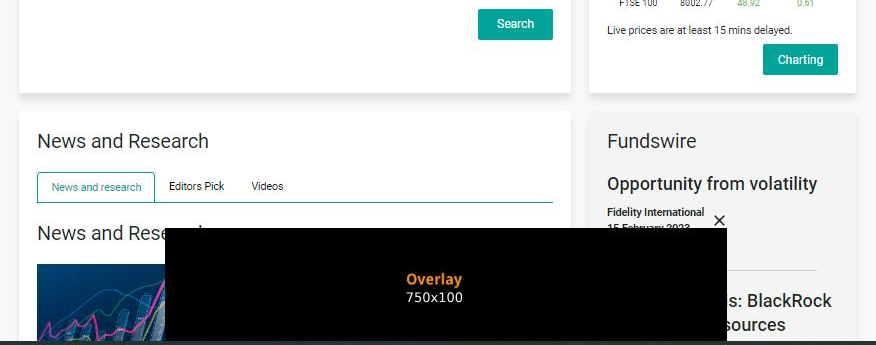
Pop ups |
750x100 or 760x500 |
||||||
|
Background image surrounding the body content with multiple click areas |
200x3000px |
gif, jpg, png, 3rd party tags, HTML5 |
See guidelines below |
||||
|
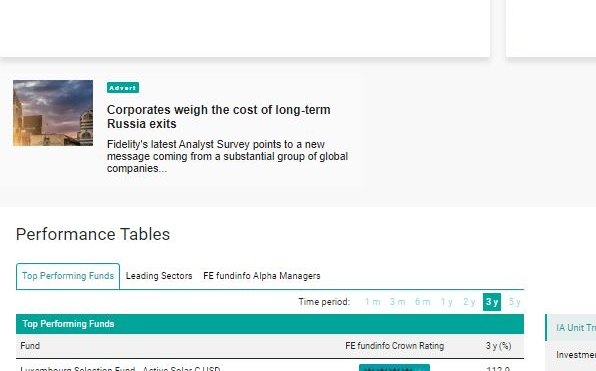
Native style formats usually static with text and an image |
Flexible however default size: 400x150px |
N/a (oversize images will be resized) |
72dpi (images) |
RGB (images) |
Text + jpg or png images |
See guidelines below
|
Skins/Wallpaper/Background Formats
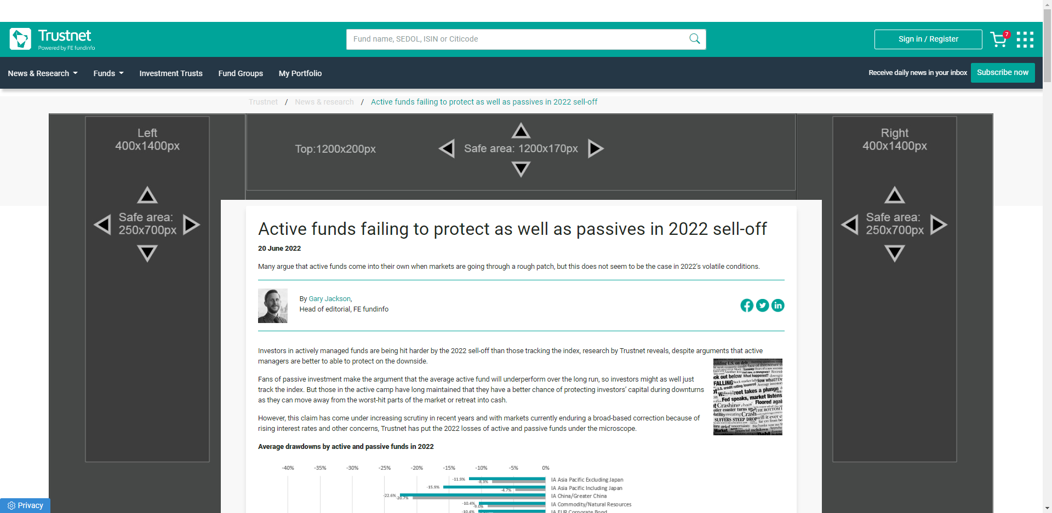
- Trustnet runs skins in a multi-creative format consisting of the following elements:
- Top section (1500x250px)
- Left (400x1400px)
- Right (400x1400px)
- Please note, due to a range of screen sizes and the responsive architecture used by Trustnet, there is a defined ‘safe area’ for creative messages and CTA.
- Each element can use a different click url.
Native Ad Formats
Native ad opportunities on Trustnet include:
-
- True Native ads: fluid size formats styled to align with Trustnet’s style sheets, featuring text and images trafficked as individual creatives by Trustnet Ad Ops.
- Sizes: Fluid but typically served in slots compatible with 300x250 or custom 400x200 slots.
- Assets
- Headline: up to 70 characters with spaces
- Headline clickable (click url)
- Body Text: up to 130 characters with spaces
- Image/Thumb: 200x200px (jpg or png)
- Advertiser Name: Optional
- Delivery: Email text, images and links to operations@fefundinfo.com (as standard)
- Customisation: Native ads allow for a degree of customisation so please contact us to discuss any specific requirements.
- Fixed Size Native Style ads: defined (usually standard) ad slot sizes into which native style (defined client side) are served via a tag.
- Sizes: 300x250 or 400x200
- Delivery: 3rd Party tags
- True Native ads: fluid size formats styled to align with Trustnet’s style sheets, featuring text and images trafficked as individual creatives by Trustnet Ad Ops.
Specific Ad Placements
|
Name |
Description |
Size |
File size |
Res |
Colour Format |
File Format |
Notes |
|
Button placed next to the site search bar on every page |
150x30px |
Up to 1mb, rich media aim for an initial download size of up to 200kb. For improved load times, minimise file size where possible |
72dpi |
RGB |
gif, jpg, png, 3rd party tags, HTML5 |
No animation |
|
|
Button placed underneath the market data/indices on the homepage |
215x40px |
||||||
|
Button above the Find A Fund filter on the homepage |
300x40px |
||||||
|
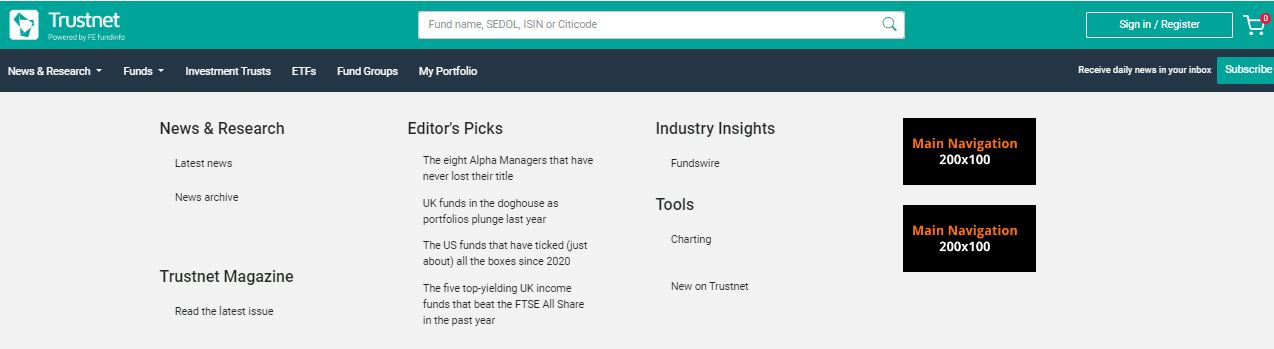
Button ad(s) under the News dropdown navigation menu |
200x100px |
||||||
|
Homepage Takeover |
100% SOV of standard ad slots on the homepage (exc the above button slots) |
970x250px + 300x600px or 300x600px x 2 |
|||||
|
Entry Point Takeover |
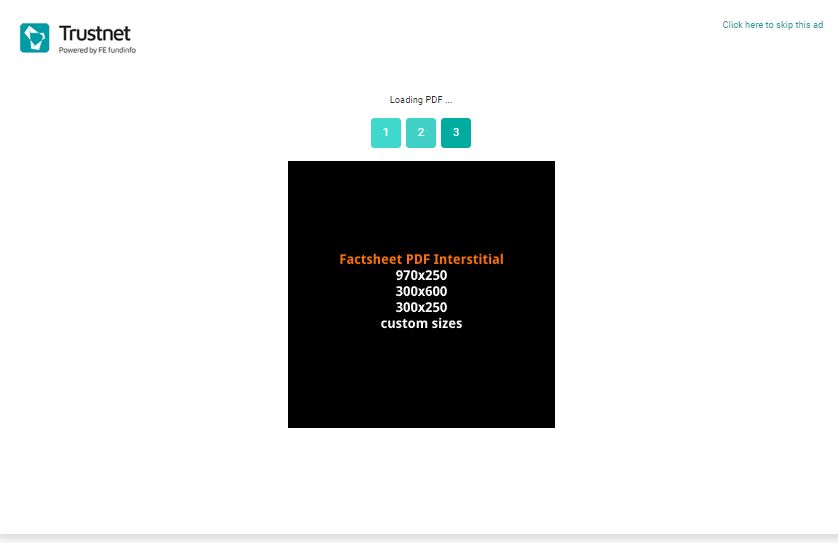
100% SOV of standard ad slots on session start pages (exc the above button slots and subscribed factsheets) |
970x250px + 300x600px or 300x600px x 2 |
|||||
|
Charting Takeover |
100% SOV of standard ad slots on the interactive charting page (exc the above button slots) |
970x250px + 300x600px or 300x600px x 2 |
|||||
|
Portfolio Takeover |
100% SOV of standard ad slots on the portfolio homepage (exc the above button slots) |
970x250px + 300x600px or 300x600px x 2 |
|||||
|
Custom Takeover |
100% SOV of standard ad slots on any defined page (exc the above button slots) |
970x250px + 300x600px or 300x600px x 2 |
Trustnet’s core user journeys follow a number of patterns ranging from direct visits to specific fund share classes to more hierarchical paths where they hop from universe or asset class to sector or fund groups, before ultimately arriving at fund factsheets.
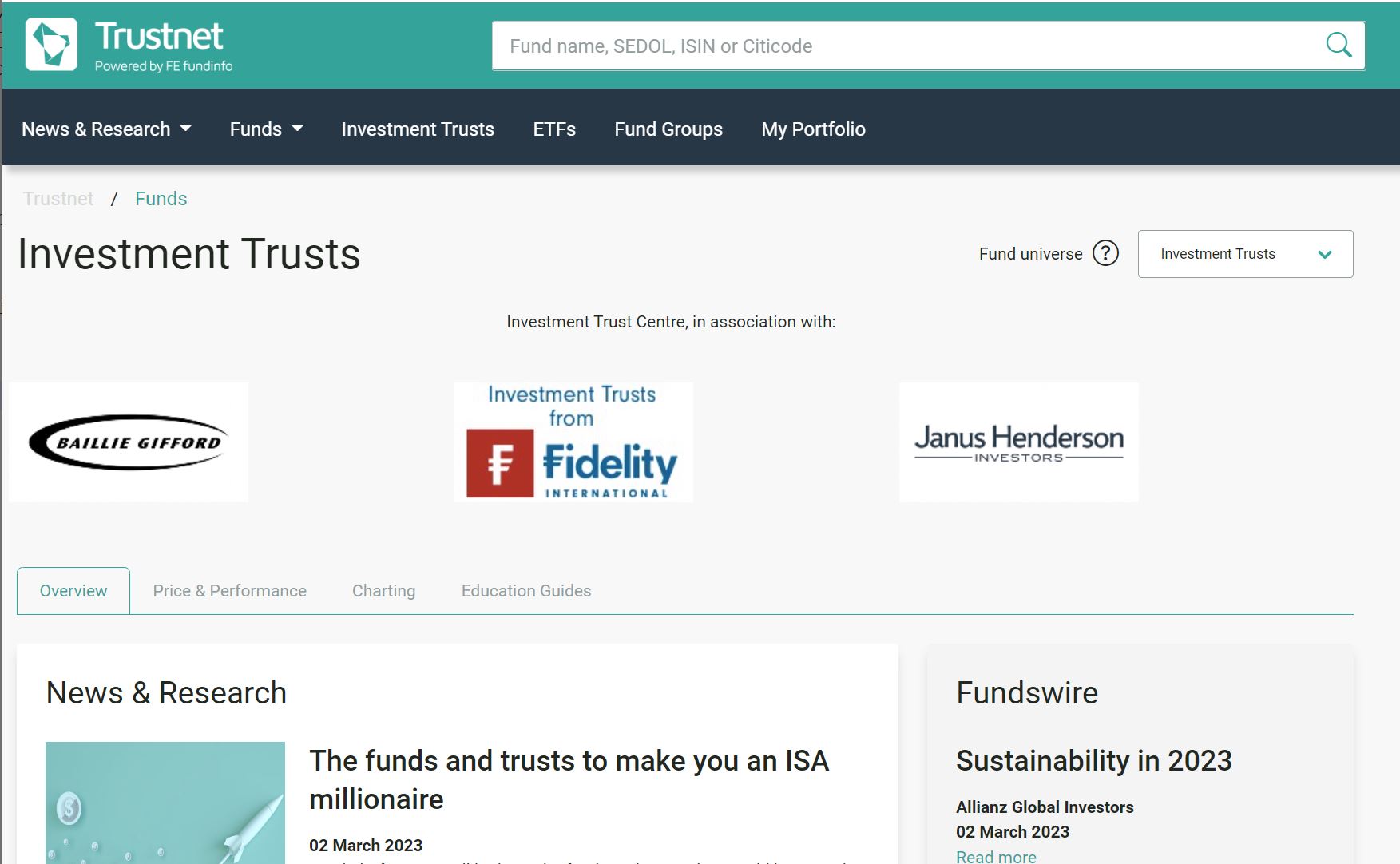
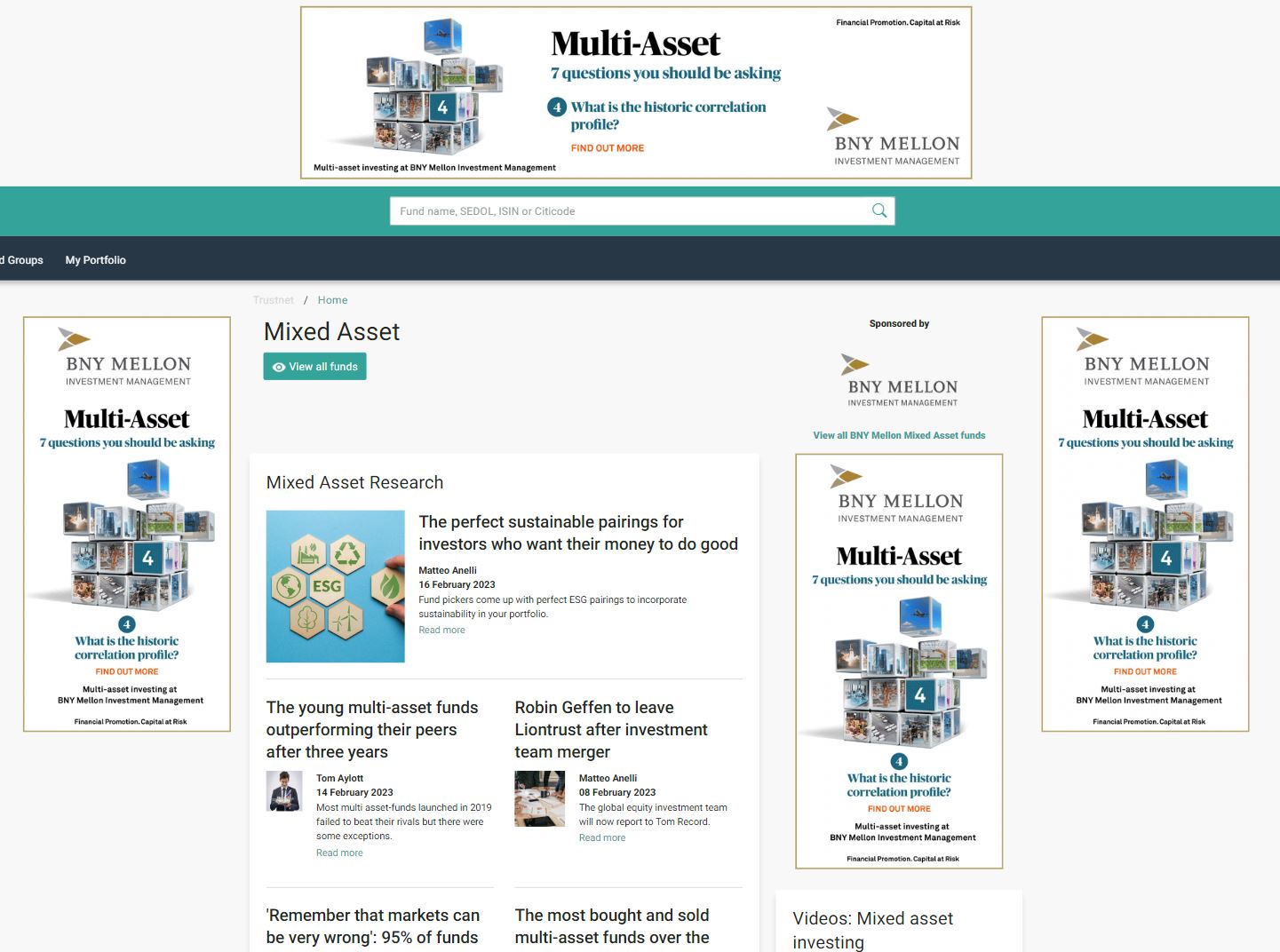
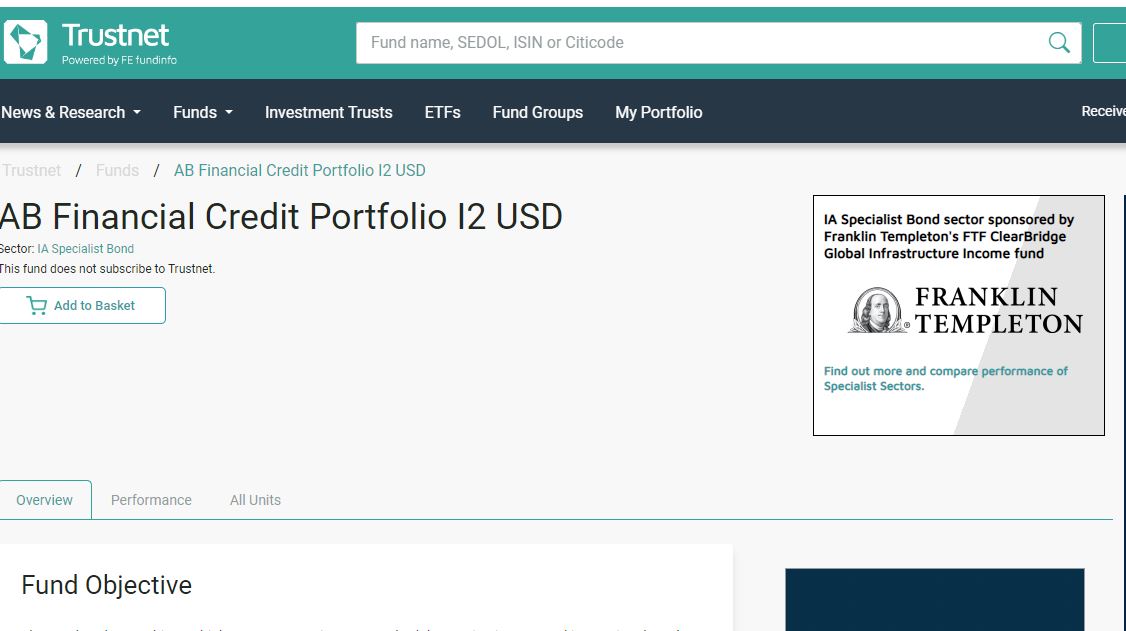
Trustnet offers opportunities to build brand associations throughout these user journeys in the form of sponsorships of:
- Universe such as Investment Trusts or ETFs
- Asset Classes such as Fixed Interest or Multi Asset
- Sectors such as IA UK Equity Income (applies to any universe)
Sponsorships can also include ownership of all ad inventory on specific pages and branding across non subscribed competitor factsheets.
|
Name |
Features |
Size |
Supply |
File size |
|
Universe Sponsorship: |
Maximum 4 sponsors for each universe |
Homepage branding: 200x100px |
Branding: static image (by default this will link to your group page on Trustnet) |
Branding: |
|
Sector Groupings/Asset Class Sponsorship: |
Maximum 4 sponsors for each asset class |
* Sponsored Editorial email for sectors in green below otherwise solus email.
** Only for sectors in green below.
|
|
|
|
|||||||||||||||||||||||||||||||||||||||||||||||||||||||||||||||||||||||||||||||||||||||||||||||||||||||||||||||||||||||||||||||||||||||||||||||||||||||
Additional Guidelines
Expandable ads
- Contact us to discuss expandable ad opportunities.
- In general, the top billboard and righthand half page placements can accommodate expandable ads. Ads expanding on click must retract on click; ads should return to their original dimensions immediately upon roll-off without delay.
- Ads expanding on click may expand to at most double their original width.
- Expandable ads must always include a close button with “Close” text visible. We recommend this is placed in the top right corner of the ad.
Overlays
- Overlays do not run on our Homepage & have a daily frequency cap subject to our discretion.
- We do not run large format overlays (i.e. 760x500) on a Chrome browser.
- Overlays should be static JPG/PNG or animated GIF (preferably no more than 2 frames) and Under 100kb file size
Rich Media/Audio & Video
- Ads must play no audio unless the user clicks them. A rollover is insufficient interaction to play audio. Include a mute button for turning audio on and off.
- Ads may auto-play video so long as audio is muted.
- There is a 30 second animation limit, but no limit on how many times a video ad may loop.
- There are no restrictions on the video format.
- Rich Media must run on 3rd party platforms, e.g. Sizmek, Flashtalking, DoubleClick.
- Rich Media may be a polite, standard or floating ad. We do not run window ads.
Miscellaneous
Our content is 1150px wide and of variable height. It is not always centered on the page. We offset the content to the left a suitable breakpoint to accommodate a 300x600 ad slot on the right.
All click-throughs must open in a new browser window.
Trustnet’s ad server delivery data figures have primacy over 3rd party delivery data by default.
Only ads which follow FCA and FE fundinfo guidelines will be accepted. Complaints from users may lead to campaign suspensions.
Campaigns are served across all devices unless otherwise stated at the time of booking.
Our ad server is Google Ad Manager.
Useful links for Ad Creation:
- Link for testing https://h5validator.appspot.com/dcm/asset
- GAM requirements for HTML5 creatives https://support.google.com/displayvideo/answer/10261241?hl=en